Why Quick Website Access Matters in Everyday Browsing
Discover why quick website access matters and how browser shortcuts, organized bookmarks, and person
About
People visit many websites during an ordinary day. They may check email, read news, complete assignments, communicate with colleagues, or enjoy online entertainment. Although accessing these platforms is usually straightforward, repeatedly searching for familiar websites can make browsing less convenient.
Quick website access helps reduce these unnecessary steps. Through bookmarks, browser shortcuts, and personalized homepage layouts, users can organize their favorite destinations in one accessible location.
Reducing Repetitive Searching
Many internet users return to the same websites every day. Typing web addresses repeatedly or searching for familiar platforms can become an unnecessary part of their routine.
Browser shortcuts provide a simple alternative. Once a website is saved, users can open it through a visible link instead of entering its address manually.
This is especially useful for educational platforms, communication services, online libraries, and other frequently visited resources.
Organizing Websites According to Your Needs
A collection of shortcuts becomes more useful when it has a clear structure.
Students might create categories for research, online learning, and educational resources. Professionals may separate work communication, project management, and reference websites.
Personal users can organize shopping, entertainment, news, and other favorite destinations.
The most effective arrangement depends on individual browsing habits. A simple category system can make it easier to locate websites without searching through unrelated links.
Saving Time During Research
Research often requires visiting several websites to compare information. Having relevant resources saved in advance can make the process more convenient.
For example, someone researching a subject might organize reference websites, online libraries, and educational resources in one bookmark folder.
This does not replace evaluating information carefully. Users should still compare sources and check the credibility of the content they find.
Improving the Browser Homepage
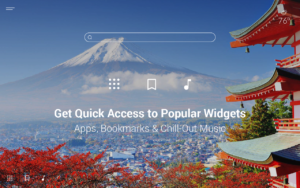
A personalized homepage can provide a central location for frequently visited websites. Instead of opening a blank page, users may see shortcuts to their preferred destinations whenever they begin browsing.
Some homepage platforms also provide additional customization features, including backgrounds and useful widgets.
A clear layout can make important links more visible while keeping the overall browsing experience comfortable.
Maintaining an Updated Shortcut Collection
Quick access is only useful when saved links remain relevant.
Review your shortcuts occasionally and remove websites that you no longer visit. Update links when necessary and move important destinations into more convenient positions.
Avoid saving every website you encounter. Too many shortcuts can make the homepage crowded and reduce the usefulness of the feature.
Choose Tools Carefully
Browser customization services should be evaluated according to usability, compatibility, privacy, and available features.
Users exploring personalized start pages may come across a Mystart Coupon Code while researching promotional information. Before considering any offer, check whether it is currently available and review its terms.
It is equally important to understand the permissions requested by any browser extension or additional tool.
Conclusion
Quick website access matters because it simplifies everyday navigation and reduces repetitive searching. Organized bookmarks and homepage shortcuts help users reach frequently visited destinations more conveniently.
A personalized homepage can make this process even easier by combining useful links with other practical features. People researching MyStart can compare its available options and check whether a Mystart Coupon Code applies to a relevant current offer.
Meta Description:
Tags:
SEO Slug: why-quick-website-access-matters-everyday-browsing
Services Offered
- yes
- yes
- yes
Features
More businesses in Karachi →
Business Hours
| Monday | Closed |
| Tuesday | Closed |
| Wednesday | Closed |
| Thursday (Today) | Closed |
| Friday | Closed |
| Saturday | Closed |
| Sunday | Closed |
Payment Methods
Languages Spoken
Frequently Asked Questions
What is Reducing Repetitive Searching
They have Many internet users return to the same websites every day. Typing web addresses repeatedly or searching for familiar platforms can become an unnecessary part of their routine.
Improving the Browser Homepage
A personalized homepage can provide a central location for frequently visited websites. Instead of opening a blank page, users may see shortcuts to their preferred destinations whenever they begin browsing.
Related Listings in Karachi